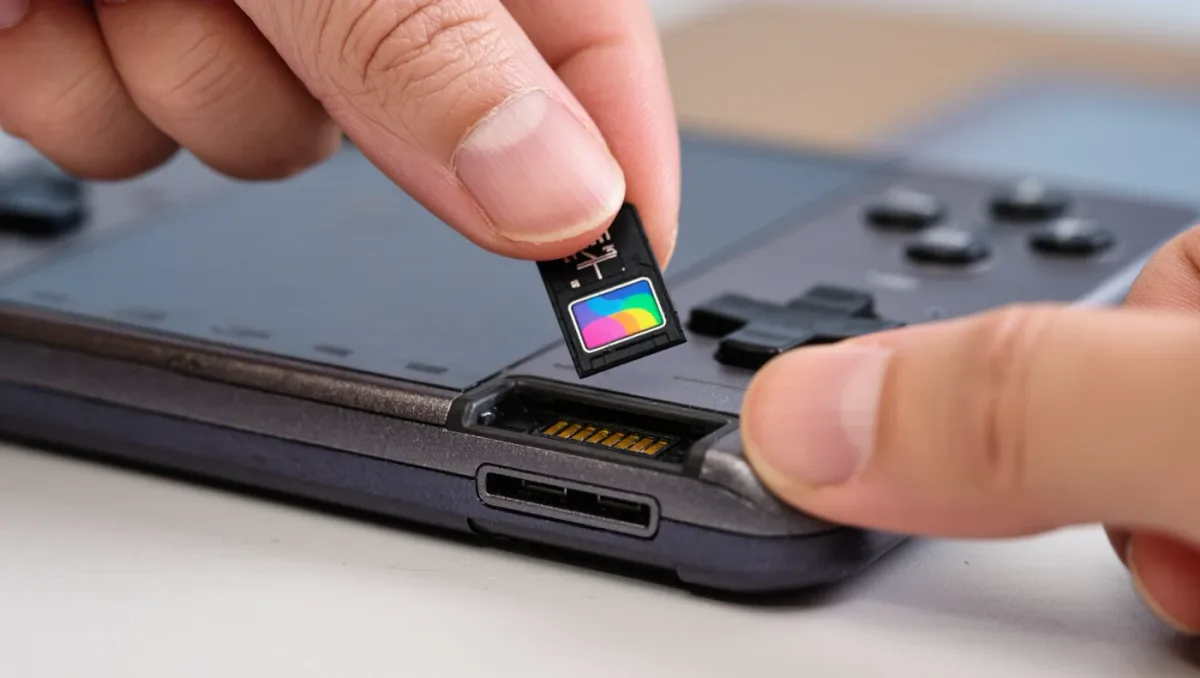
When Nintendo launched the Switch 2 on June 5, 2025 at $449.99, the company quietly broke a storage habit two console generations old: the new handheld accepts only microSD Express cards, not the UHS-I microSD cards that worked in the original Switch since 2017. The reason is bandwidth — per Nintendo's spec sheet, the console's 256 GB of internal storage fills quickly, and Express cards deliver the sustained speed large modern games need. The catch is price and shelf confusion: Express cards cost two to three times as much as ordinary microSD, and plugging an old card in does nothing at all.
Why did Nintendo change the card standard?
Original Switch games were built around a storage ceiling of roughly 32 GB per cartridge, so UHS-I speeds — up to about 104 MB/s in the cards most people bought — were never the bottleneck. Switch 2 games ship larger: Nintendo's own store listings show titles like Mario Kart World at roughly 23 GB, with third-party ports commonly larger, and the console streams assets from storage during play. UHS-I's real-world throughput chokes on that pattern. MicroSD Express, the standard introduced in the SD 7.0 specification, moves data over a PCIe and NVMe protocol — the same architecture as an SSD — with a theoretical floor of 985 MB/s, per the SD Association's published specification. Nintendo needed SSD-class speed in a card slot and got it.
Can you still use your old Switch's microSD card?
Not for games. Per Nintendo's support documentation, a UHS-I card inserted into a Switch 2 can be used only to view and transfer screenshots and video — the console will not install or run games from it. Existing downloads stay tied to your Nintendo Account, so nothing is lost, but your card collection from the original Switch is functionally retired on the new hardware. If you are migrating, plan to re-download your library onto the internal storage or a new Express card rather than moving cards between machines.
What capacities and speeds make sense?
Express cards ship in UHS-II-style form factors marked Express on the packaging, with current retail capacities of 128 GB, 256 GB, 512 GB and 1 TB. Nintendo licenses and sells branded cards — the 256 GB licensed card listed at $59.99 on Nintendo's store — while SanDisk, Samsung and others sell unbranded equivalents, often at lower per-gigabyte prices during sales. Capacity math is straightforward: at 256 GB internal, a 512 GB Express card roughly triples total space for a typical mixed library, and 1 TB removes storage anxiety for the console's life. Below 256 GB of expansion, you will be juggling downloads within months.
Does card speed actually differ between brands?
Within the Express standard, meaningfully less than marketing suggests. All Express cards clear the same 985 MB/s floor the protocol defines, and Switch 2 load-time differences between compliant cards are small in documented side-by-side testing — the gap between a cheap and premium Express card is seconds, not minutes, in tests published by hardware outlets at launch. The specification to check on the box is the Express logo itself, plus a UHS speed class of A2 for app performance. Anything marketed as 'up to 170 MB/s' without the Express mark is a UHS-I card and will not work for games.
How do you move games between storage later?
The Switch 2 can archive and re-download titles, and per Nintendo's documentation it can also transfer game data between the internal storage and an Express card without re-downloading, game by game, from the data management menu. It cannot run a game directly from one card while storing another card's games — so if you collect multiple Express cards, expect manual shuffling. Archive-the-smallest-game-first is the practical rule: the console tells you each title's size in System Settings, then Data Management.
Is the internal storage itself replaceable?
No, and that constraint shapes every card decision. The Switch 2's 256 GB of internal storage is fixed soldered memory — there is no user-serviceable SSD bay as on a PS5. The microSD Express slot is the only expansion path, which makes the card a permanent part of the machine rather than a temporary overflow. Two hygiene habits follow from that. First, format the card in the console, not in a computer, per Nintendo's documentation, so the file system matches what the console expects. Second, if you ever swap cards between two Switch 2 consoles, archive your games first — the console manages each card's installed library as a unit, and unmanaged swaps are the most common cause of 'game not found' errors reported by owners on launch forums.
What should you actually buy?
A 512 GB microSD Express card from an established brand at a sale price is the sensible default purchase — it doubles your effective library without doubling the console's cost. Buy 1 TB only if you buy physically large third-party games digitally; buy 256 GB only as a stopgap. Skip no-name Express cards regardless of price: the standard is new enough that counterfeit and mislabeled cards circulate, and a failed card takes your installed library with it. And keep the receipt — card returns are far easier than card recovery.
Recommendation: treat storage as part of the console's real price. The $449.99 Switch 2 is effectively a $510 purchase once a 512 GB Express card enters the bag, and planning for that at checkout beats the mid-download 'storage full' dialog three weeks later.