The controller arms race has reached a familiar marketing plateau: polling rate. Pro-oriented pads — the Razer Wolverine V3 Pro, 8BitDo's Ultimate 2, GameSir's super-polling models and others — now advertise 1,000 Hz polling, up from the 125-250 Hz convention of console controllers, per the manufacturers' product pages. The number is not invented: polling rate is how many times per second the controller reports its inputs to the host, and 1,000 reports per second is a real, measurable behavior. What the spec sheet does not volunteer is where those extra reports change anything, and the honest answer, per input-latency testing published by enthusiast measurement channels, is narrower than the marketing implies.
What does polling rate change in milliseconds?
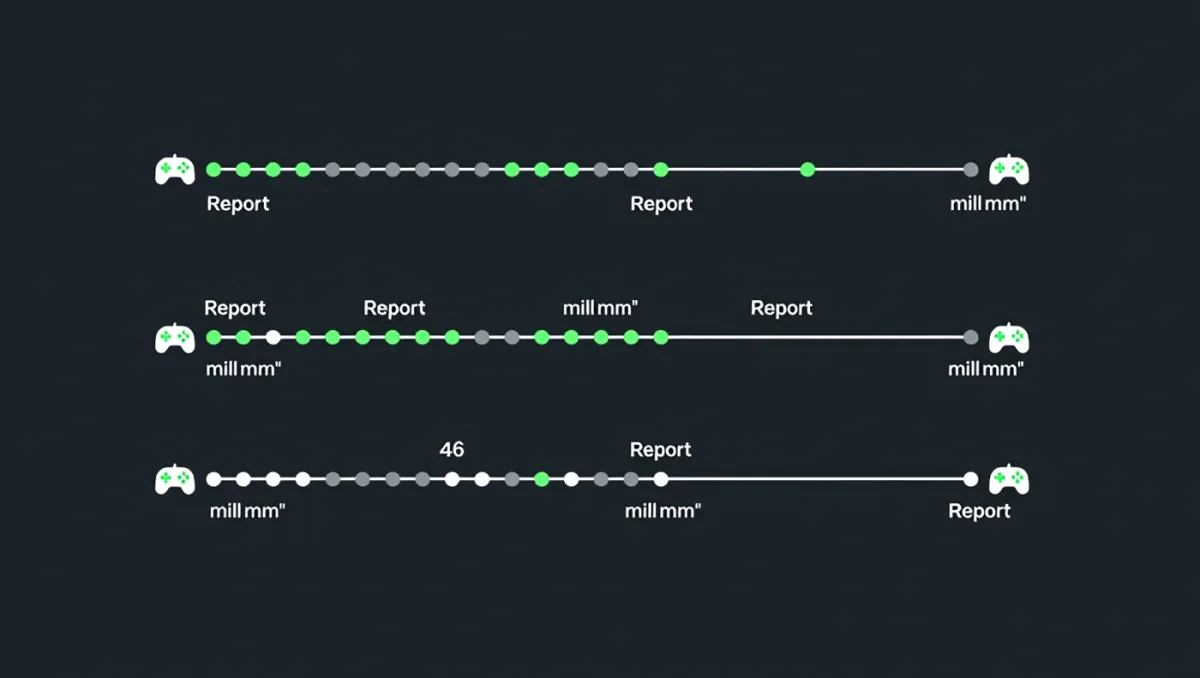
The arithmetic is small. At 250 Hz polling, input reports leave the controller every 4 milliseconds; at 1,000 Hz, every 1 millisecond. The maximum saving from the upgrade is therefore 3 milliseconds — the average wait before your button press enters the queue, per the sampling theory that governs all input devices. For context, total click-to-photon latency in a console game — button to controller to console to network to screen — routinely runs 50-100 milliseconds and more, per display and input-latency measurements from testing labs. Cutting 3 ms from that stack is a 3-6 percent improvement under best-case assumptions, and less when other stages dominate.
Where can 1,000 Hz actually matter?
Three niches, per the communities that test input latency obsessively. Fighting games, where single-frame advantages are the currency and tournament players count pixels of startup frames — a smaller sampling window marginally tightens input consistency. Rhythm games, where timing windows are measured in single milliseconds andreport cadence interacts with audio calibration. And PC competitive shooters at high frame rates, where a 360 Hz or faster display shrinks the total pipeline enough that controller-side milliseconds become a visible fraction. The common thread is that all three run on PC with high-refresh displays; on a console outputting 60 fps, each frame lasts 16.7 milliseconds, and a report every 1 millisecond arrives long before the next frame needs it.
Why do console controllers ship at 125-250 Hz?
Bluetooth bandwidth and platform standards, not cheap engineering. Per Bluetooth HID profile realities, wireless controllers share a radio with audio, chat and other peripherals, and consoles standardize on conservative polling to guarantee stability — the DualSense and Xbox controllers report at rates in that range, per community-measured values, and their latency is consistent rather than minimal. Console ecosystems also certify controllers against the platform's own latency envelope, so a third-party pad advertising 1,000 Hz over 2.4 GHz dongle on PC may fall back to console-standard polling on the console it is named after. Reading the fine print on which connection mode delivers the headline number is required before believing it.
Does polling rate affect stick precision or just buttons?
Both, but unevenly. For sticks, higher polling samples movement more finely, which matters at high in-game sensitivities and fast flicks — motion between two 4 ms samples can be approximated rather than captured. For motion in games, the engine interpolates input per frame regardless, which is why the visible benefit concentrates in high-frame-rate PC play. For buttons, the benefit is latency only, not precision — a trigger pull is binary, and beyond debounce handling, sampling cadence is all that changes. Enthusiast measurements at Gamepadla-style testing channels, which plot click latency across popular controllers, show high-polling pads averaging 1-4 milliseconds faster on clicks than console-standard peers — real, consistent, and small.
What matters more than the polling number?
Everything else in the latency chain, in descending order of impact. Display refresh and processing: a fast panel with game mode enabled swings 20-50 milliseconds. Game engine frame rate: no input improvement survives a 30 fps pipeline. Wireless mode: a 2.4 GHz dongle routinely beats Bluetooth by several milliseconds per comparative measurements, and a USB cable beats both. Stick mechanics: hall-effect or TMR sensors, covered separately, change precision in ways polling never can. In that hierarchy, polling rate is the last refinement, purchased by players who have already optimized everything above it.
How do you verify a pad's polling rate yourself?
Free tools make the claim testable in minutes. Browser-based gamepad testers report the measured polling interval of any connected controller — plug it in over USB and the tester displays the actual report cadence, which in documented tests frequently lands near the advertised figure on PC while Bluetooth connections drop to platform-standard rates. Repeat the test across connection modes and you will see exactly where the spec applies: often 1 millisecond on dongle or cable, 4-8 milliseconds on Bluetooth. Console owners cannot run these tools on the console itself, so the fine print — which connection mode the advertised number requires — is the only pre-purchase evidence available. A controller whose headline number survives only in one niche connection mode on one platform is telling you exactly how much of the marketing applies to you.
Verdict
Buy a 1,000 Hz pad because its sticks, build and shape suit you, and treat the polling figure as a tiebreaker in PC-focused play — real on paper, most relevant in fighting games and rhythm games, marginal in everything at 60 fps. On consoles, assume the number does not fully apply, and let latency chain reality — display, frame rate, connection mode — drive expectations. A 3-millisecond edge is a fine thing to own; it is not a reason to buy.